 Invoice Master
Made from the invoice
Client, invoice number, amount paid and balance come straight from the invoice, so there's nothing to retype.
When a client pays, Invoice Master offers to send them a receipt straight away — a clean PDF with the amount received, the invoice it belongs to and your business details. No second app, no retyping.
On a computer? Use the free online invoice generator →
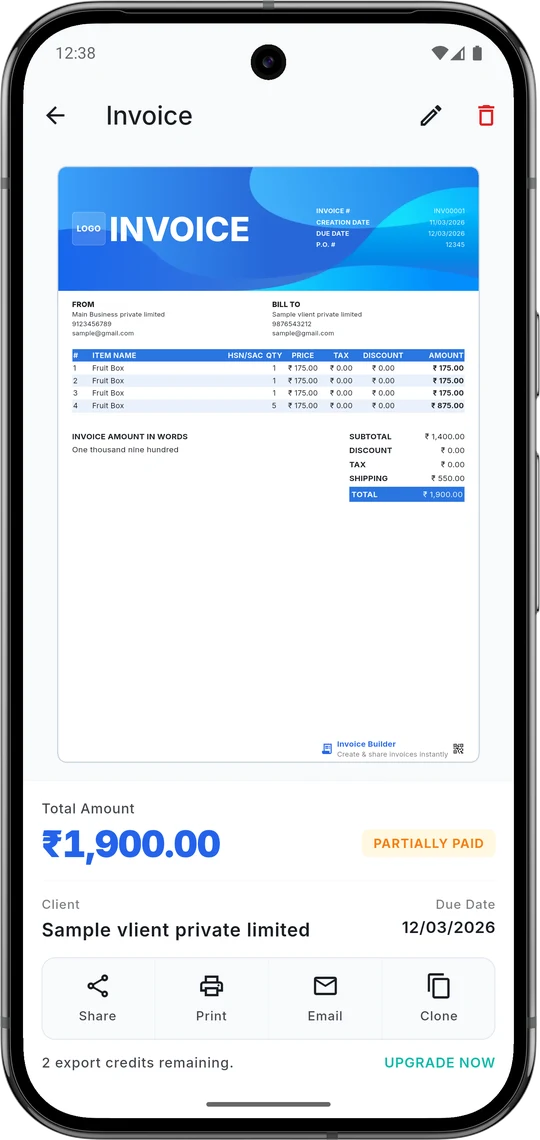
Client, invoice number, amount paid and balance come straight from the invoice, so there's nothing to retype.
Recording a payment offers to send the receipt, with a preview you can check first.
Each paid invoice shows whether a receipt has been shared and when.
Receipts are included in the free plan; Pro removes the app branding.
Open the invoice the client has paid.
Record the payment — in full or partially.
Check the receipt preview.
Send it by email, WhatsApp or any app.
Yes. A receipt can be sent for any invoice with a payment recorded; it shows the amount received.
No. Receipts don't count towards the free plan's export limit.
Available on iPhone, iPad and Android. Create your first invoice in under a minute.
 On a computer? Scan with your phone